
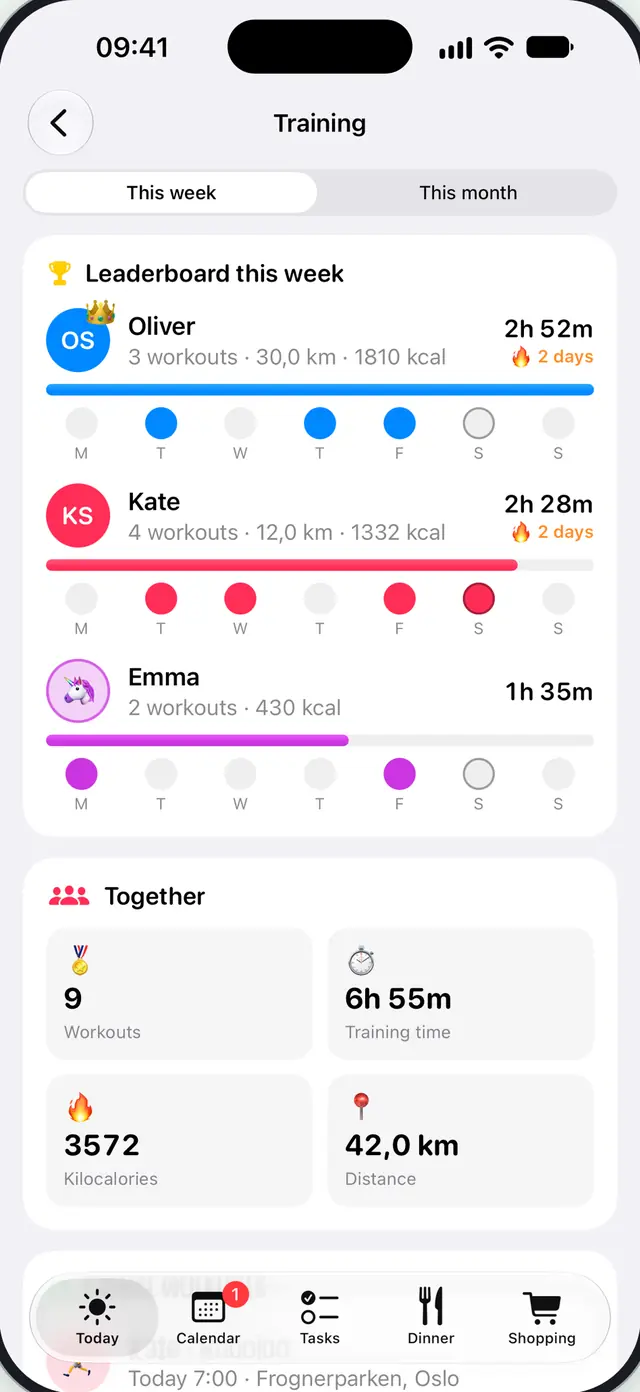
Workouts on a family leaderboard
Turn on sharing and workouts from Apple Health come in by themselves – with distance, heart rate and cheers. The route is never shared.
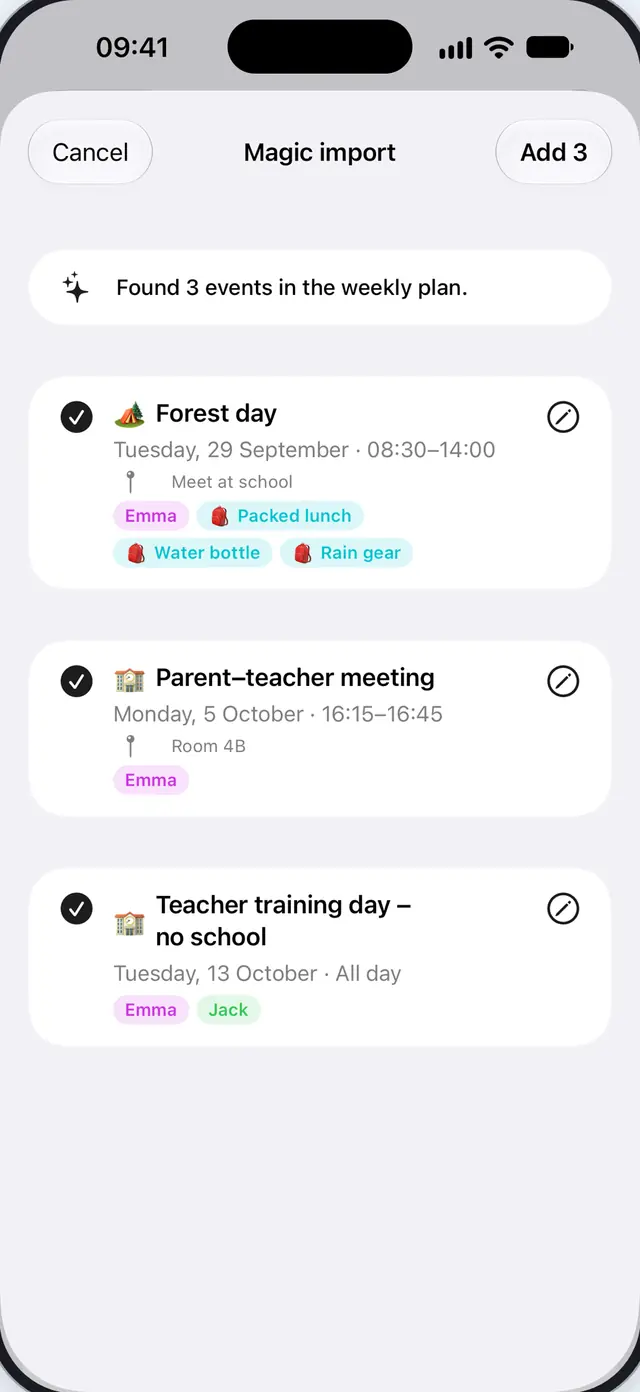
Plans, chores, dinners and the shopping list for the whole family – the kids and the dog included. Snap the weekly plan from school, and the events are added for you.

 Free for 7 daysSign in with Apple – no new password
Works with what you already use
Weekly plans, school letters, term calendars and invitations – as a photo, PDF, text or from the share sheet. The events land on the right person, with what to bring.
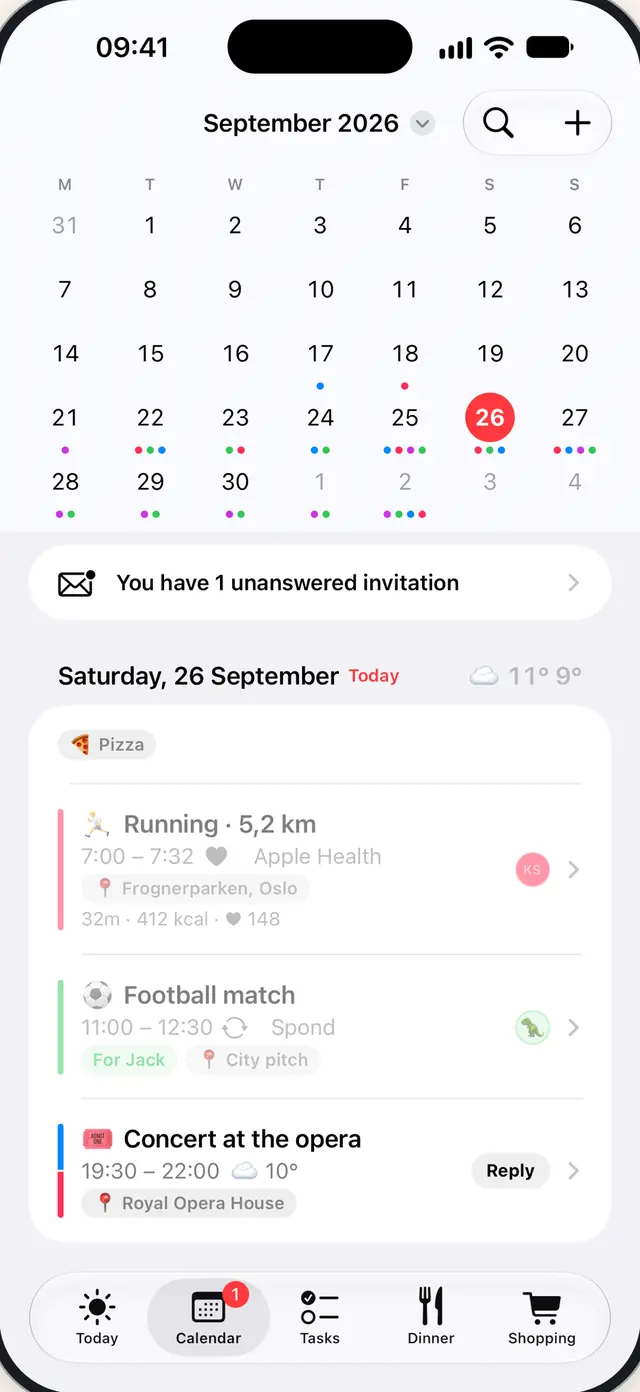
Everyone in the family has their own colour, so you see at a glance who's going where. The calendars you already use – sports, school and work – are brought in and kept up to date by themselves.
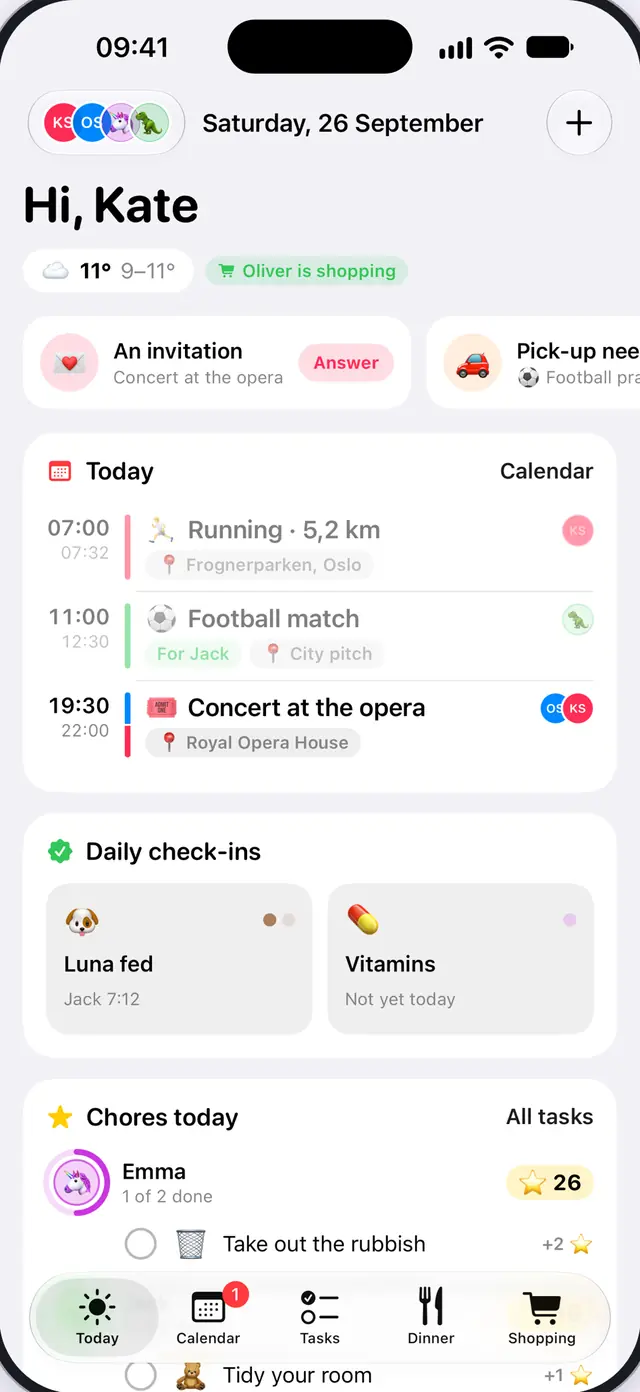
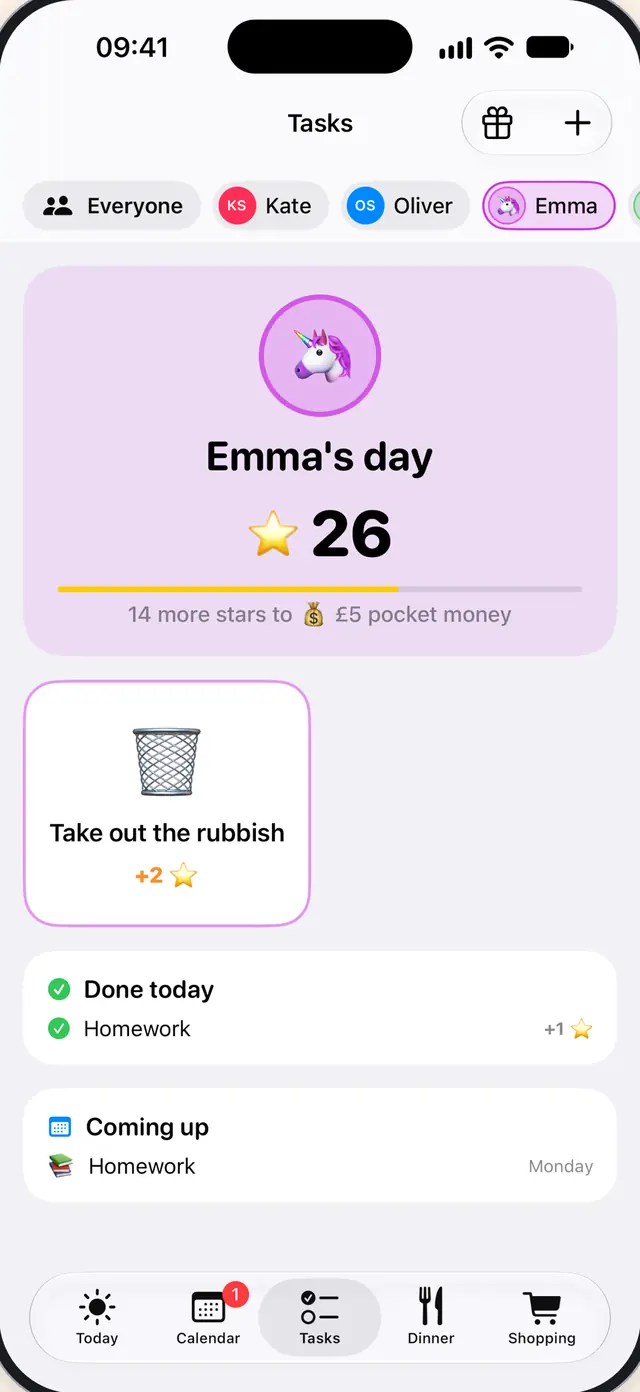
Chores that take turns, and daily check-ins like “Dog fed”. Kids earn stars and save up for rewards they choose themselves.
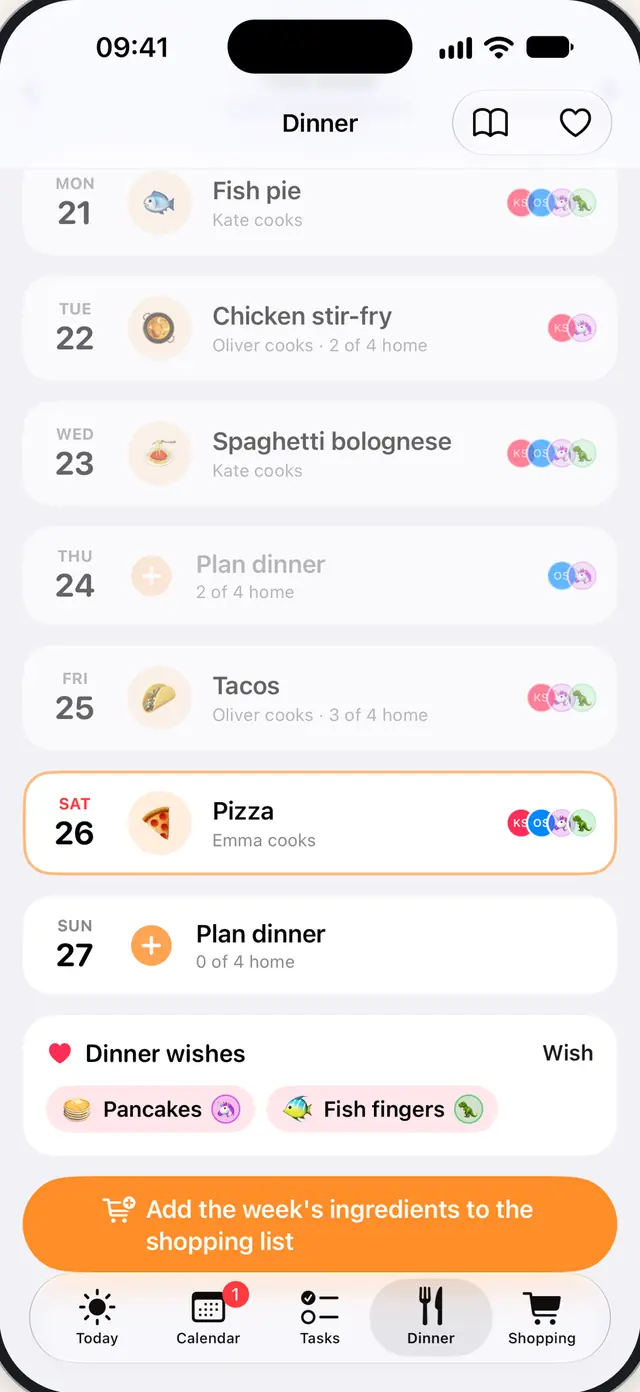
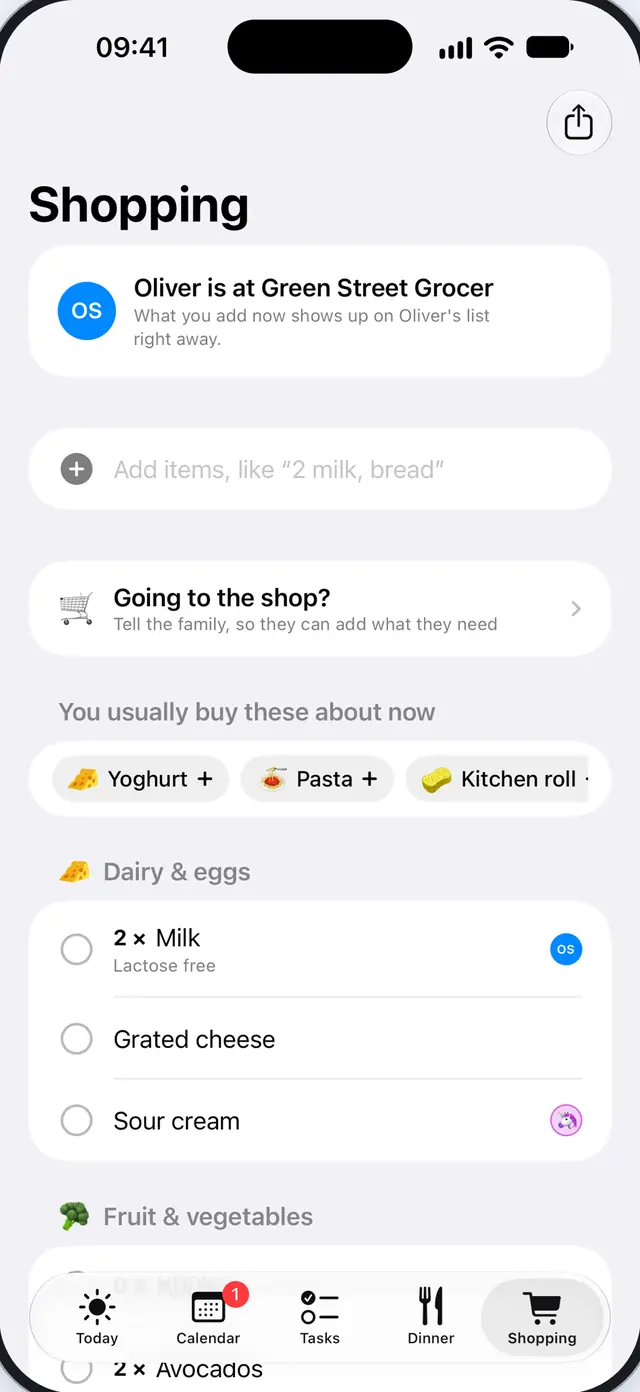
Plan the week's dinners and let the recipes fill the shopping list. It sorts itself by your shop and shows who's shopping – as it happens.
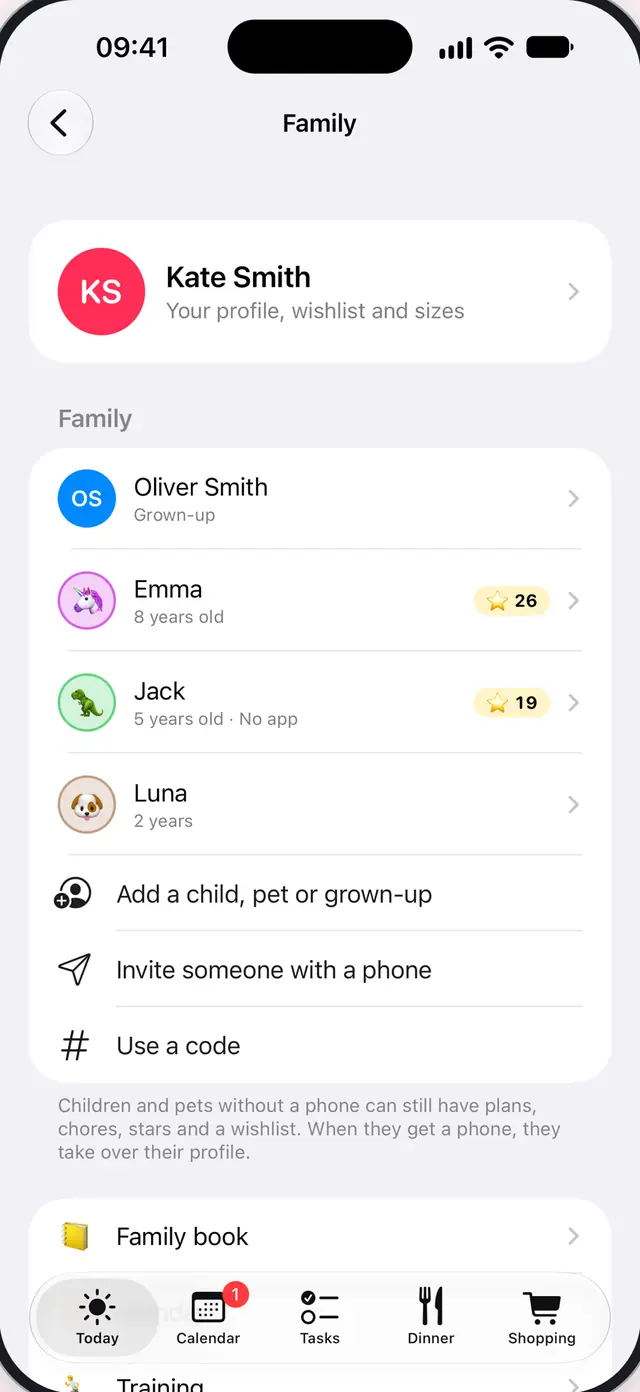
Children, pets and grandparents without a phone get their own plans, chores and wishlist. When the kids get a phone, the profile moves over with a code – with everything in it.
Turn on sharing and workouts from Apple Health come in by themselves – with distance, heart rate and cheers. The route is never shared.
Ask “What's happening this week?” or “Put milk on the shopping list”. The assistant can do what you can do in the app, and you can disconnect it whenever you like.
How to connect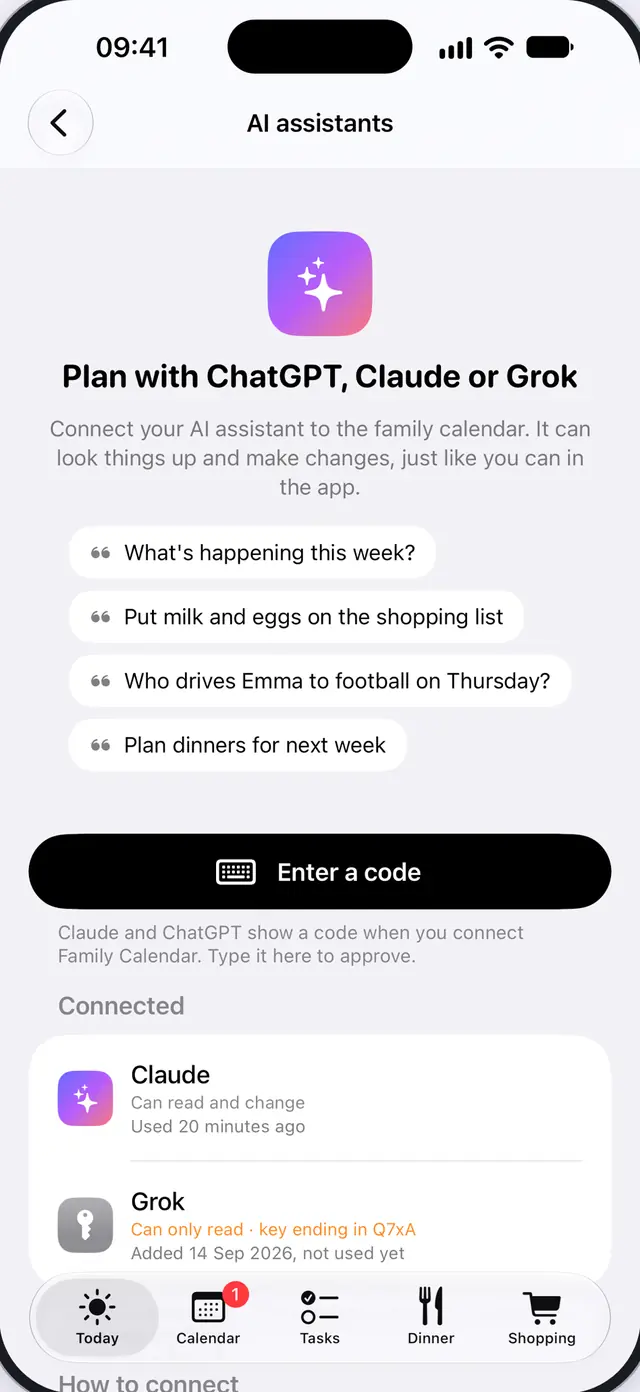
The day's plans and the weather in the morning, and a look at tomorrow in the evening.
Who drops off, who picks up and what to bring – agreed in one place.
Count down to the holidays and never forget a birthday in the family.
The next event, the shopping list and chores on your Home Screen and on your wrist.
“Add milk to the shopping list” – without opening the app.
The whole week on the wall, so everyone sees what's going on.
A map, the weather and directions for every event.
Let others follow the plans in their own calendar, like Google or Outlook.
A short guide in the app sets up the rest.
No new password. Try everything free for 7 days.
Send a link by text or Messenger, and add the kids and the dog.
The events land on the right person. The rest sorts itself out.
Then choose a monthly or yearly subscription in the app.
The family's data lives on servers in Ireland, encrypted on the way there.
We never sell data, show no ads and don't track you.
No password to remember, and your email address can stay hidden.
Shared links can be stopped at any time, and workouts never leave the family.
Read the full privacy policy.
The app is for iPhone and iPad, with widgets and an Apple Watch app. Children and grandparents without a phone can still be part of the family, and others can follow the plans in their own calendar (Google or Outlook, for example) with a calendar link.
You try everything free for 7 days. After that you choose a monthly or yearly subscription in the app. With Apple's Family Sharing, one subscription covers up to six in the family.
Go to Family in the app, tap “Invite someone with a phone” and send the link by text or Messenger. Whoever gets the link downloads the app, signs in with Apple and taps the link again – or types the code under Family → Use a code.
Yes. Calendars on your iPhone – from sports clubs, work and school – are brought in and kept up to date by themselves. Snap weekly plans and letters from school, and the app finds the events.
Yes. Children get their own plans, chores, stars and wishlist. When they get a phone, the profile moves over with a code – with everything in it.
Everything is stored in the EU. We never sell data, show no ads and don't track you. Read the privacy policy.
See the support page, or email staveeland@gmail.com. We answer as soon as we can.

Bring the whole family together in one calendar. Try Family Calendar free for 7 days.
For iPhone, iPad and Apple Watch · In English and Norwegian